The 5 Best Note-Taking Apps in 2026
Taking notes on your phone seems trivial until you need to find something you wrote six months ago. That is where these apps split apart: some are lightning fast for jotting an idea in ten seconds, others are built to grow an archive over years. In this guide we compare the 5 best note-taking apps in 2026 and tell you which one fits the way you work.
Apps for taking and organising notes from your phone
Mobile note apps with cross-device sync, strong search and very different approaches to organising: from quick capture to linked knowledge systems.
Top pick

Google Keep: notas y listas
Google LLC · Free · 1.000M+
The fastest for jotting down
4.7
2.5M reviews
TopApps analysis
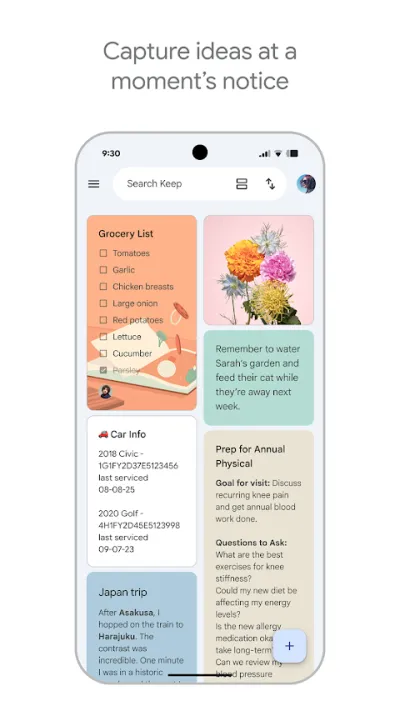
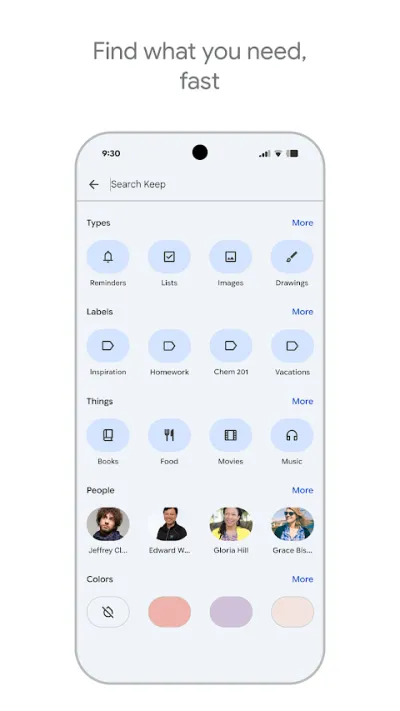
Google Keep wins at what you actually do every day: open, type, close. Colour-coded notes, reminders and a home-screen widget, free and with nothing to set up.
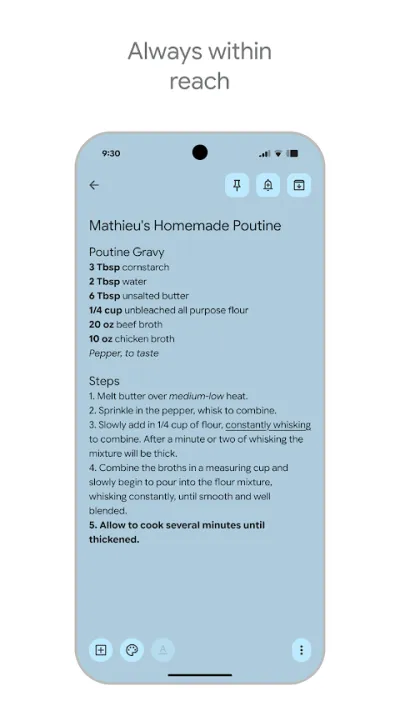
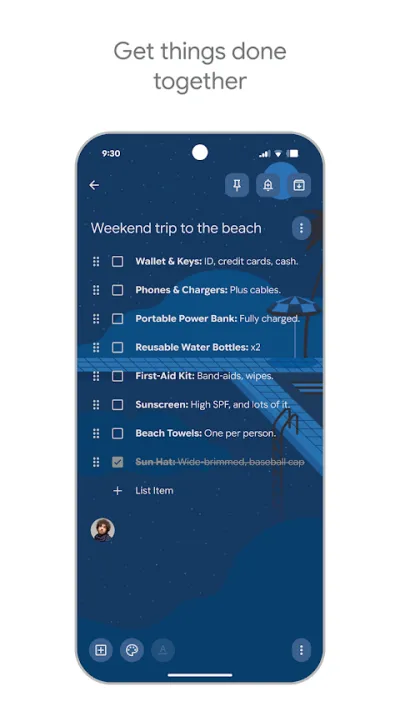
Google Keep is the simplest, fastest note-taking app around, and one of the best rated (4.7★). Ideal for jotting down ideas on the fly, building shopping lists, saving voice notes or setting reminders by time and place. It's completely free and syncs instantly with your Google account.
Pros
- Lightning fast for jotting down ideas and lists
- Completely free and ad-free
- Voice notes, images and checkbox lists
Cons
- Few organisation options (no folders or sub-notes)
- Not suited to long notes or project management
- Very basic text formatting

Microsoft OneNote
Microsoft Corporation · Free · 1.000M+
The best complete free option
4.6
1.5M reviews
TopApps analysis
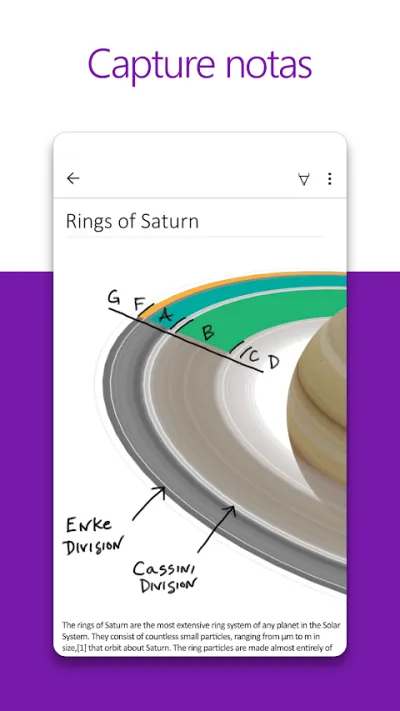
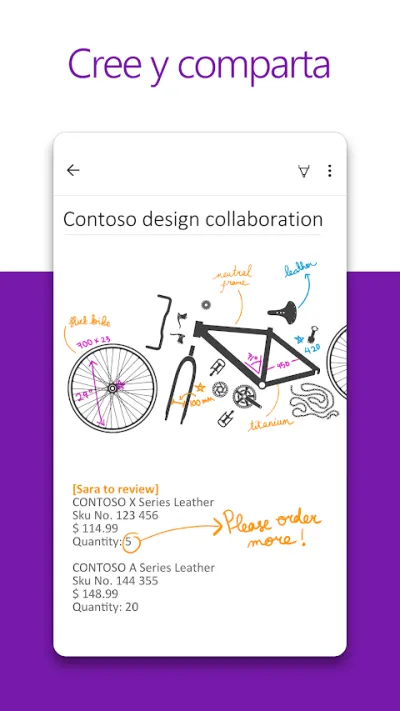
OneNote sets no limit on notes and gives you a free canvas where you can handwrite or type anywhere on the page, ideal for class notes with a stylus.
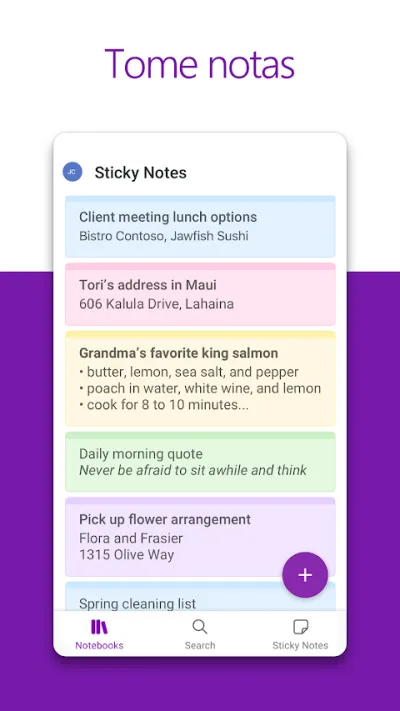
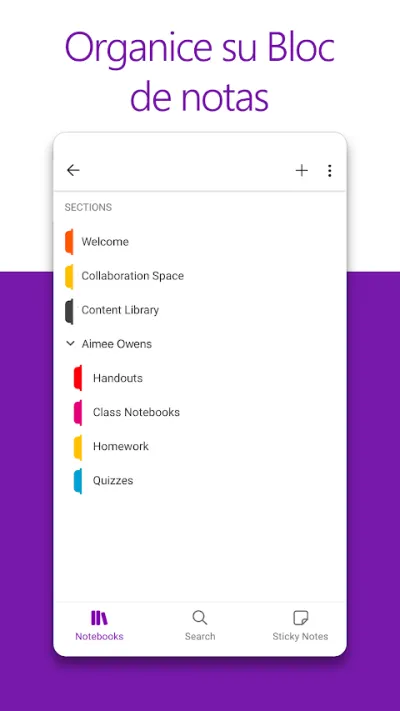
OneNote is Microsoft's digital notebook and probably the most complete free option: notebooks, sections and pages on a free-form canvas where you can handwrite, draw, drop in images and record audio anywhere on the sheet. It syncs with OneDrive and sets no limit on the number of notes, which makes it a strong pick for students.
Pros
- Free and with no limit on the number of notes
- Free-form canvas: write or draw wherever you like
- Excellent with a stylus for taking notes
Cons
- Requires a Microsoft account and OneDrive space
- The notebook structure can feel rigid
- Search is slower than in Evernote

Notion: Notas, tareas e IA
Notion Labs, Inc. · Free (with purchases) · 10M+
The best for organising projects
4.6
371K reviews
TopApps analysis
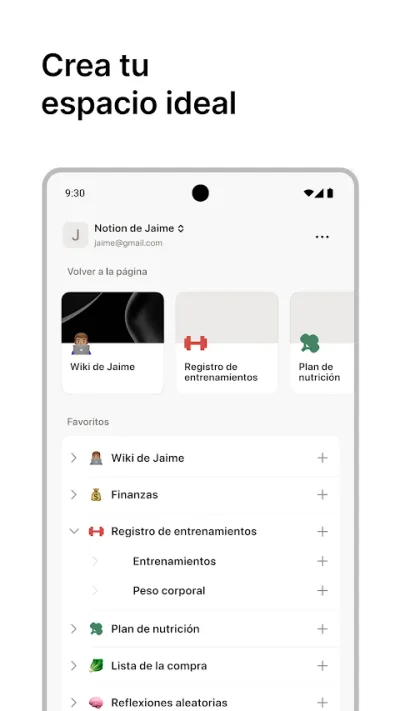
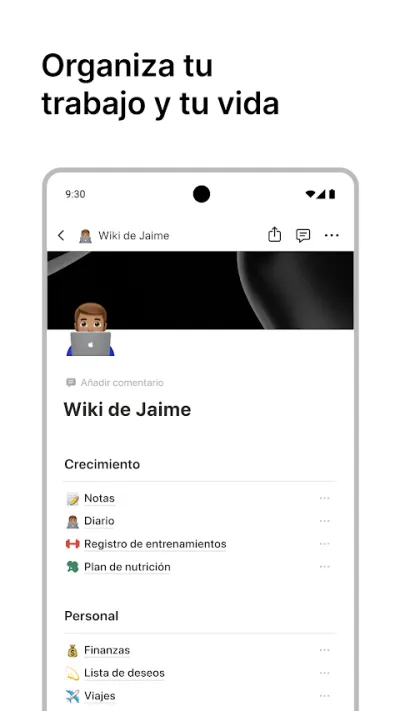
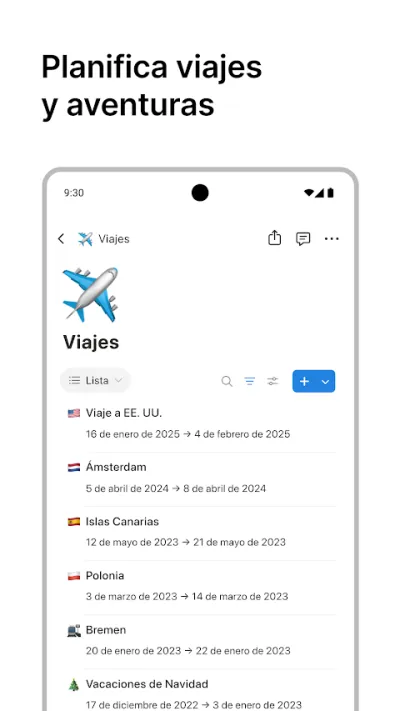
Notion goes beyond notes: databases, boards and nested pages, for anyone who wants notes, tasks and projects to live in the same place.
Notion is an all-in-one workspace that folds notes, tasks, databases, wikis and documents into a single flexible app. You can build anything from a simple list to a full project management system, and Notion AI is on hand to draft and summarise. A solid fit for organising both personal life and teamwork.

Pros
- All in one: notes, tasks, databases and wikis
- Extremely flexible and customisable
- Notion AI to draft, summarise and organise
Cons
- Steep learning curve at the start
- Can slow down with very large workspaces
- Advanced features and AI need a paid plan

Obsidian: Notas Enlazadas
Dynalist Inc. · Free · 5M+
The best for building your own knowledge
4.7
18K reviews
TopApps analysis
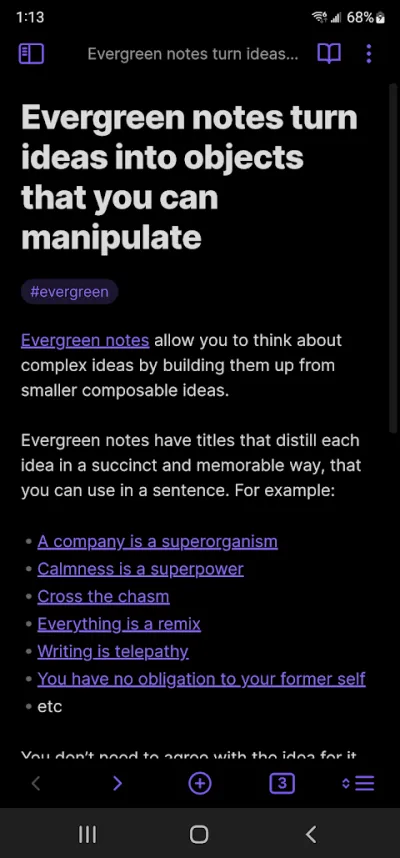
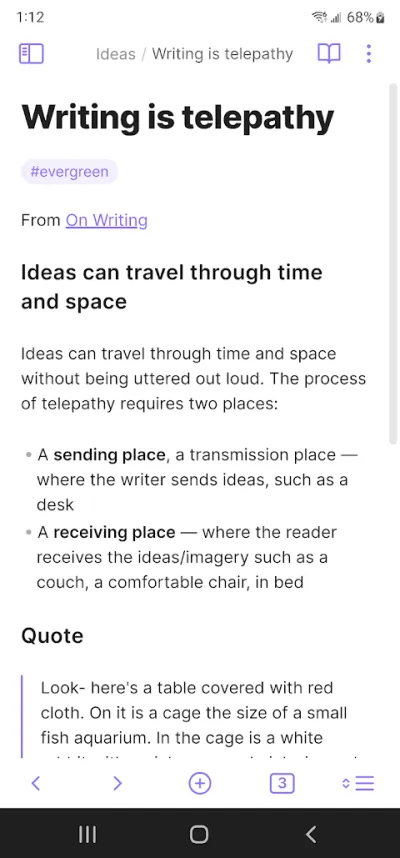
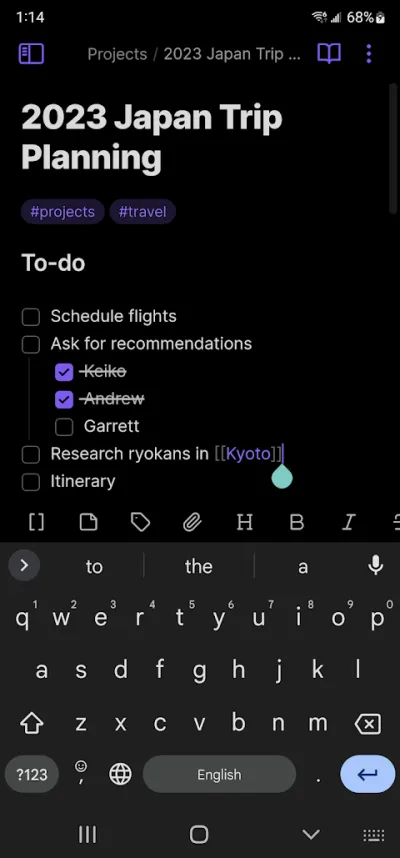
Obsidian stores notes as Markdown files on your phone and links them to each other, building over time a knowledge network that depends on no company.
Obsidian keeps your notes as Markdown files on your own phone, not in anyone else's cloud. Its big idea is linking notes: you type double brackets and end up building a navigable web of knowledge. It is free for personal use and has the most active plugin community around, though getting started takes some effort.

Pros
- Your notes are your own files, no cloud dependency
- Free for personal use, with no note limit
- Links between notes and graph view
Cons
- Steep learning curve to get going
- Syncing across devices costs money
- You need to understand Markdown to get the most out of it

Evernote: Notas y Tareas
Evernote by Bending Spoons · Free (with purchases) · 100M+
The veteran with the best search
3.0
1.9M reviews
TopApps analysis
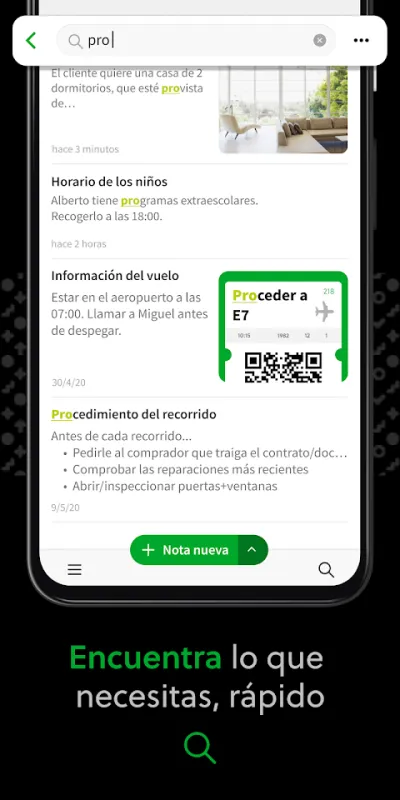
Evernote still has the best search in the category, able to find words inside scanned images, although its free plan has become very tight.
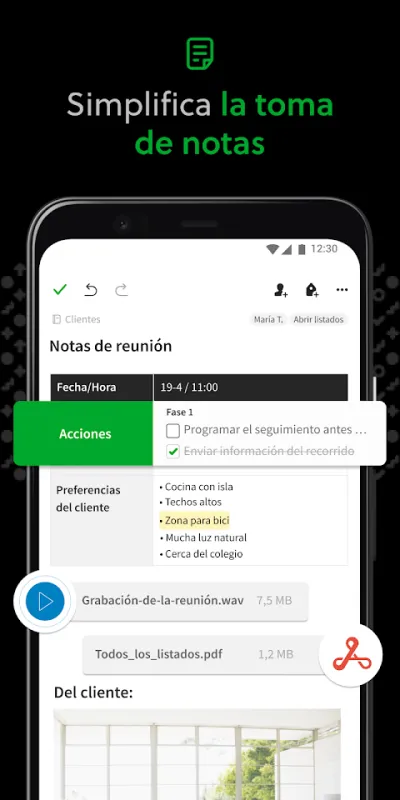
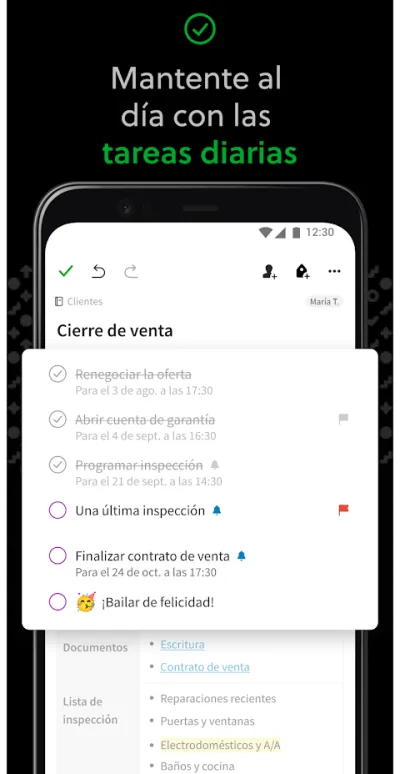
Evernote was the benchmark note-taking app for years and is still powerful: it captures text, audio, photos and web pages in the same notebook, with a search engine that even finds words inside scanned images. Its problem today is commercial: the free plan has been cut back to a handful of notes on a single device, which has sunk its Google Play rating.

Pros
- Excellent search, even inside images
- Web clips, audio and documents all in one place
- Very mature notebook and tag organisation
Cons
- The free plan is now very limited
- Expensive compared with the alternatives
- The app has grown sluggish on older phones
Frequently asked questions
Which is the best free note-taking app?
OneNote is the best free option if you want a complete notebook with no note limit, handwriting and sync between phone and computer. If you want something lighter for jotting things down on the fly, Google Keep is faster and also free. Obsidian is free for personal use, but it takes longer to learn.
Notion or Obsidian for taking notes?
Notion is better if you work with other people and want databases, boards and ready-made templates; everything lives in its cloud and collaboration is immediate. Obsidian is better if you value privacy and want your notes to be your own files stored on the phone, linked to each other to build your own knowledge system. Notion is easier to start with; Obsidian holds up better over the years.
Is Evernote still worth using in 2026?
Only if you already pay for a subscription and have years of notes inside. Its search is still excellent and web clipping is very good, but the free plan was cut down to a very small number of notes and a single device, and its Google Play rating has fallen because of it. To start from scratch today, OneNote or Notion give you more for less.
Can I take notes without an internet connection?
Yes. Obsidian works fully offline because the files sit on your device, and OneNote, Google Keep and Evernote let you write with no signal and sync later once you are back online. Notion is the most internet-dependent: it has an offline mode, but only for pages you have opened recently.
Articles you might like


The 5 Best Invoicing Apps for Freelancers in Spain in 2026
We compare the 5 best invoicing apps for freelancers in Spain: Holded, TS Facturas (Billin), Quipu, Anfix and STEL Order. Verifactu, taxes and prices.


The 4 Best Time Clock Apps in Spain in 2026
We compare the 4 best time clock apps in Spain: Factorial, Sesame HR, Bixpe and Jibble. Clocking in by phone, geolocation and reports for labour inspections.


The 5 Best Parcel Tracking Apps in Spain in 2026
We compare the 5 best parcel tracking apps in Spain: Correos, 17TRACK, AfterShip, GLS and Seguimiento de Envíos. Track packages from any carrier.


The 4 Best Journaling Apps in 2026
We compare the best journal apps: Daylio, Journey, Google Keep and Notion. Write every day, track your mood and keep your memories safe.


The 4 Best Packing List Apps in 2026
We compare the best apps for packing your luggage: PackPoint, Wanderlog, Google Keep and TripIt. Smart lists so you forget nothing.


The 4 Best Grocery List Apps in 2026
We compare the best grocery list apps: Bring!, Listonic, OurGroceries and Google Keep. Shared shopping lists that sync in real time.